[
UPDATES
]
[
UPDATES
]
Changelog
Stay up to date with our latest features and improvements
Search...
Jun 1
Jun 1
May 31
May 31
May 23
May 23
Apr 18
Apr 18
Mar 16
Mar 16
Feb 25
Feb 25
Dec 19
Dec 19
Nov 14
Nov 14
Oct 2
Oct 2
Sep 1
Sep 1
Aug 8
Aug 8
Jul 20
Jul 20
Jun 29
Jun 29
May 23
May 23
Apr 5
Apr 5
Mar 5
Mar 5
Sep 5
Sep 5
Feb 6
Feb 6
June 1, 2025
v1.67.0
Design
Feature
Advanced Agentic AI Chat transforms how you interact with your corporate knowledge, bringing autonomous intelligence to your meeting workflows and business data.
What Makes It Advanced?
Advanced Agentic AI Chat delivers an enhanced chat experience that goes far beyond basic Q&A:
Deep corporate knowledge insights across your entire meeting history
Autonomous task handling for scheduling and action item capture
Automatic screenshot integration for richer context in conversations
Direct CRM queries through AI Chat—connect Salesforce and HubSpot for personalized responses
The key advantage: Get more intelligent, context-aware responses that understand your business data and can take action on your behalf.
Blockquote Example
The key advantage: Get more intelligent, context-aware responses that understand your business data and can take action on your behalf.
Code Example
<img src="photo.webp"
loading="lazy"
alt="Optimized photo">
Work Smarter, Not Harder
Instead of jumping between tools and manually tracking tasks, let Advanced Agentic AI Chat:
Surface insights from across your organization's meetings
Handle routine meeting logistics automatically
Pull relevant CRM data into your conversations
Understand visual context from screenshots
DESIGNED, BUILT AND WRITTEN BY

Alice Johnson
Founder & CEO

Mark Smith
Co-Founder & CTO

Chris Green
UX Designer
Jun 1, 2025
v1.67.0
Design
Feature
Advanced Agentic AI Chat transforms how you interact with your corporate knowledge, bringing autonomous intelligence to your meeting workflows and business data.
What Makes It Advanced?
Advanced Agentic AI Chat delivers an enhanced chat experience that goes far beyond basic Q&A:
Deep corporate knowledge insights across your entire meeting history
Autonomous task handling for scheduling and action item capture
Automatic screenshot integration for richer context in conversations
Direct CRM queries through AI Chat—connect Salesforce and HubSpot for personalized responses
The key advantage: Get more intelligent, context-aware responses that understand your business data and can take action on your behalf.
Blockquote Example
The key advantage: Get more intelligent, context-aware responses that understand your business data and can take action on your behalf.
Code Example
<img src="photo.webp"
loading="lazy"
alt="Optimized photo">
Work Smarter, Not Harder
Instead of jumping between tools and manually tracking tasks, let Advanced Agentic AI Chat:
Surface insights from across your organization's meetings
Handle routine meeting logistics automatically
Pull relevant CRM data into your conversations
Understand visual context from screenshots
DESIGNED, BUILT AND WRITTEN BY
Alice Johnson
Founder & CEO
Mark Smith
Co-Founder & CTO
Chris Green
UX Designer
June 1, 2025
v1.67.0
Design
Feature
Advanced Agentic AI Chat transforms how you interact with your corporate knowledge, bringing autonomous intelligence to your meeting workflows and business data.
What Makes It Advanced?
Advanced Agentic AI Chat delivers an enhanced chat experience that goes far beyond basic Q&A:
Deep corporate knowledge insights across your entire meeting history
Autonomous task handling for scheduling and action item capture
Automatic screenshot integration for richer context in conversations
Direct CRM queries through AI Chat—connect Salesforce and HubSpot for personalized responses
The key advantage: Get more intelligent, context-aware responses that understand your business data and can take action on your behalf.
Blockquote Example
The key advantage: Get more intelligent, context-aware responses that understand your business data and can take action on your behalf.
Code Example
<img src="photo.webp"
loading="lazy"
alt="Optimized photo">
Work Smarter, Not Harder
Instead of jumping between tools and manually tracking tasks, let Advanced Agentic AI Chat:
Surface insights from across your organization's meetings
Handle routine meeting logistics automatically
Pull relevant CRM data into your conversations
Understand visual context from screenshots
DESIGNED, BUILT AND WRITTEN BY
Alice Johnson
Founder & CEO
Mark Smith
Co-Founder & CTO
Chris Green
UX Designer
May 31, 2025
v1.66.0
Enhancement
Healthcare teams, this one's for you. We're excited to announce that Otter.ai is now HIPAA compliant, which means you can confidently use our AI meeting agent for clinical documentation, team communication, and patient coordination.
What This Means for You
Getting HIPAA compliant wasn't just about checking a box – we've implemented some serious security upgrades:
Better encryption to keep protected health information (PHI) locked down
Tighter access controls so only the right people see sensitive data
Team training to make sure everyone knows HIPAA inside and out
Regular security audits to stay on top of our game
This builds on our existing SOC 2 Type II certification, so you're getting enterprise-grade security across the board.
Ready to Get Started?
Healthcare teams can now use Otter for meetings involving PHI without worrying about compliance issues. Want to learn more about our security features or see how Otter works for healthcare workflows?
DESIGNED, BUILT AND WRITTEN BY
Mark Smith
Co-Founder & CTO
May 31, 2025
v1.66.0
Enhancement
Healthcare teams, this one's for you. We're excited to announce that Otter.ai is now HIPAA compliant, which means you can confidently use our AI meeting agent for clinical documentation, team communication, and patient coordination.
What This Means for You
Getting HIPAA compliant wasn't just about checking a box – we've implemented some serious security upgrades:
Better encryption to keep protected health information (PHI) locked down
Tighter access controls so only the right people see sensitive data
Team training to make sure everyone knows HIPAA inside and out
Regular security audits to stay on top of our game
This builds on our existing SOC 2 Type II certification, so you're getting enterprise-grade security across the board.
Ready to Get Started?
Healthcare teams can now use Otter for meetings involving PHI without worrying about compliance issues. Want to learn more about our security features or see how Otter works for healthcare workflows?
DESIGNED, BUILT AND WRITTEN BY
Mark Smith
Co-Founder & CTO
May 23, 2025
v1.65.0
Feature
In today's fast-paced sales environment, having actionable insights from your customer conversations at your fingertips can make all the difference. That's where Sales Agent comes in.
Intelligent Meeting Insights for Sales Teams
Sales Agent uses advanced AI to analyze your sales conversations and automatically generate valuable insights. The platform pulls out key information from your meetings and organizes it into actionable bullet points covering:
Competition mentions
Customer objections
Action items
And more
But having these insights in MeetNotes is just the beginning. What if you could automatically sync this critical information directly to your Salesforce account? Now you can.
Seamless Salesforce Integration
Setting up the Salesforce integration is straightforward and only requires workspace admin permissions:
Navigate to the Apps page in MeetNotes
Locate and add the Salesforce app
Authorize MeetNotes to access your Salesforce account
Map your MeetNotes insights to specific Salesforce fields
Choose your write behavior (overwrite, write if empty, or append)
Toggle the integration on
Once configured, MeetNotes automatically identifies the correct Salesforce opportunity based on contact email addresses from your meetings and syncs the relevant insights.
DESIGNED, BUILT AND WRITTEN BY

Jule Grüne
Sales Team

Adam Cloud
Co-Founder & COO
May 23, 2025
v1.65.0
Feature
In today's fast-paced sales environment, having actionable insights from your customer conversations at your fingertips can make all the difference. That's where Sales Agent comes in.
Intelligent Meeting Insights for Sales Teams
Sales Agent uses advanced AI to analyze your sales conversations and automatically generate valuable insights. The platform pulls out key information from your meetings and organizes it into actionable bullet points covering:
Competition mentions
Customer objections
Action items
And more
But having these insights in MeetNotes is just the beginning. What if you could automatically sync this critical information directly to your Salesforce account? Now you can.
Seamless Salesforce Integration
Setting up the Salesforce integration is straightforward and only requires workspace admin permissions:
Navigate to the Apps page in MeetNotes
Locate and add the Salesforce app
Authorize MeetNotes to access your Salesforce account
Map your MeetNotes insights to specific Salesforce fields
Choose your write behavior (overwrite, write if empty, or append)
Toggle the integration on
Once configured, MeetNotes automatically identifies the correct Salesforce opportunity based on contact email addresses from your meetings and syncs the relevant insights.
DESIGNED, BUILT AND WRITTEN BY
Jule Grüne
Sales Team
Adam Cloud
Co-Founder & COO
April 18, 2025
v1.64.0
Enhancement
Design
In today's fast-paced sales environment, having actionable insights from your customer conversations at your fingertips can make all the difference. That's where Sales Agent comes in.
Intelligent Meeting Insights for Sales Teams
Sales Agent uses advanced AI to analyze your sales conversations and automatically generate valuable insights. The platform pulls out key information from your meetings and organizes it into actionable bullet points covering:
Competition mentions
Customer objections
Action items
And more
But having these insights in MeetNotes is just the beginning. What if you could automatically sync this critical information directly to your Salesforce account? Now you can.
Seamless Salesforce Integration
Setting up the Salesforce integration is straightforward and only requires workspace admin permissions:
Navigate to the Apps page in MeetNotes
Locate and add the Salesforce app
Authorize MeetNotes to access your Salesforce account
Map your MeetNotes insights to specific Salesforce fields
Choose your write behavior (overwrite, write if empty, or append)
Toggle the integration on
Once configured, MeetNotes automatically identifies the correct Salesforce opportunity based on contact email addresses from your meetings and syncs the relevant insights.
DESIGNED, BUILT AND WRITTEN BY

Emily White
Sales Director
Apr 18, 2025
v1.64.0
Enhancement
Design
In today's fast-paced sales environment, having actionable insights from your customer conversations at your fingertips can make all the difference. That's where Sales Agent comes in.
Intelligent Meeting Insights for Sales Teams
Sales Agent uses advanced AI to analyze your sales conversations and automatically generate valuable insights. The platform pulls out key information from your meetings and organizes it into actionable bullet points covering:
Competition mentions
Customer objections
Action items
And more
But having these insights in MeetNotes is just the beginning. What if you could automatically sync this critical information directly to your Salesforce account? Now you can.
Seamless Salesforce Integration
Setting up the Salesforce integration is straightforward and only requires workspace admin permissions:
Navigate to the Apps page in MeetNotes
Locate and add the Salesforce app
Authorize MeetNotes to access your Salesforce account
Map your MeetNotes insights to specific Salesforce fields
Choose your write behavior (overwrite, write if empty, or append)
Toggle the integration on
Once configured, MeetNotes automatically identifies the correct Salesforce opportunity based on contact email addresses from your meetings and syncs the relevant insights.
DESIGNED, BUILT AND WRITTEN BY
Emily White
Sales Director
April 18, 2025
v1.64.0
Enhancement
Design
In today's fast-paced sales environment, having actionable insights from your customer conversations at your fingertips can make all the difference. That's where Sales Agent comes in.
Intelligent Meeting Insights for Sales Teams
Sales Agent uses advanced AI to analyze your sales conversations and automatically generate valuable insights. The platform pulls out key information from your meetings and organizes it into actionable bullet points covering:
Competition mentions
Customer objections
Action items
And more
But having these insights in MeetNotes is just the beginning. What if you could automatically sync this critical information directly to your Salesforce account? Now you can.
Seamless Salesforce Integration
Setting up the Salesforce integration is straightforward and only requires workspace admin permissions:
Navigate to the Apps page in MeetNotes
Locate and add the Salesforce app
Authorize MeetNotes to access your Salesforce account
Map your MeetNotes insights to specific Salesforce fields
Choose your write behavior (overwrite, write if empty, or append)
Toggle the integration on
Once configured, MeetNotes automatically identifies the correct Salesforce opportunity based on contact email addresses from your meetings and syncs the relevant insights.
DESIGNED, BUILT AND WRITTEN BY
Emily White
Sales Director
March 16, 2025
v1.63.0
Feature
Design
In today's fast-paced sales environment, having actionable insights from your customer conversations at your fingertips can make all the difference. That's where Sales Agent comes in.
Intelligent Meeting Insights for Sales Teams
Sales Agent uses advanced AI to analyze your sales conversations and automatically generate valuable insights. The platform pulls out key information from your meetings and organizes it into actionable bullet points covering:
Competition mentions
Customer objections
Action items
And more
But having these insights in MeetNotes is just the beginning. What if you could automatically sync this critical information directly to your Salesforce account? Now you can.
Seamless Salesforce Integration
Setting up the Salesforce integration is straightforward and only requires workspace admin permissions:
Navigate to the Apps page in MeetNotes
Locate and add the Salesforce app
Authorize MeetNotes to access your Salesforce account
Map your MeetNotes insights to specific Salesforce fields
Choose your write behavior (overwrite, write if empty, or append)
Toggle the integration on
Once configured, MeetNotes automatically identifies the correct Salesforce opportunity based on contact email addresses from your meetings and syncs the relevant insights.
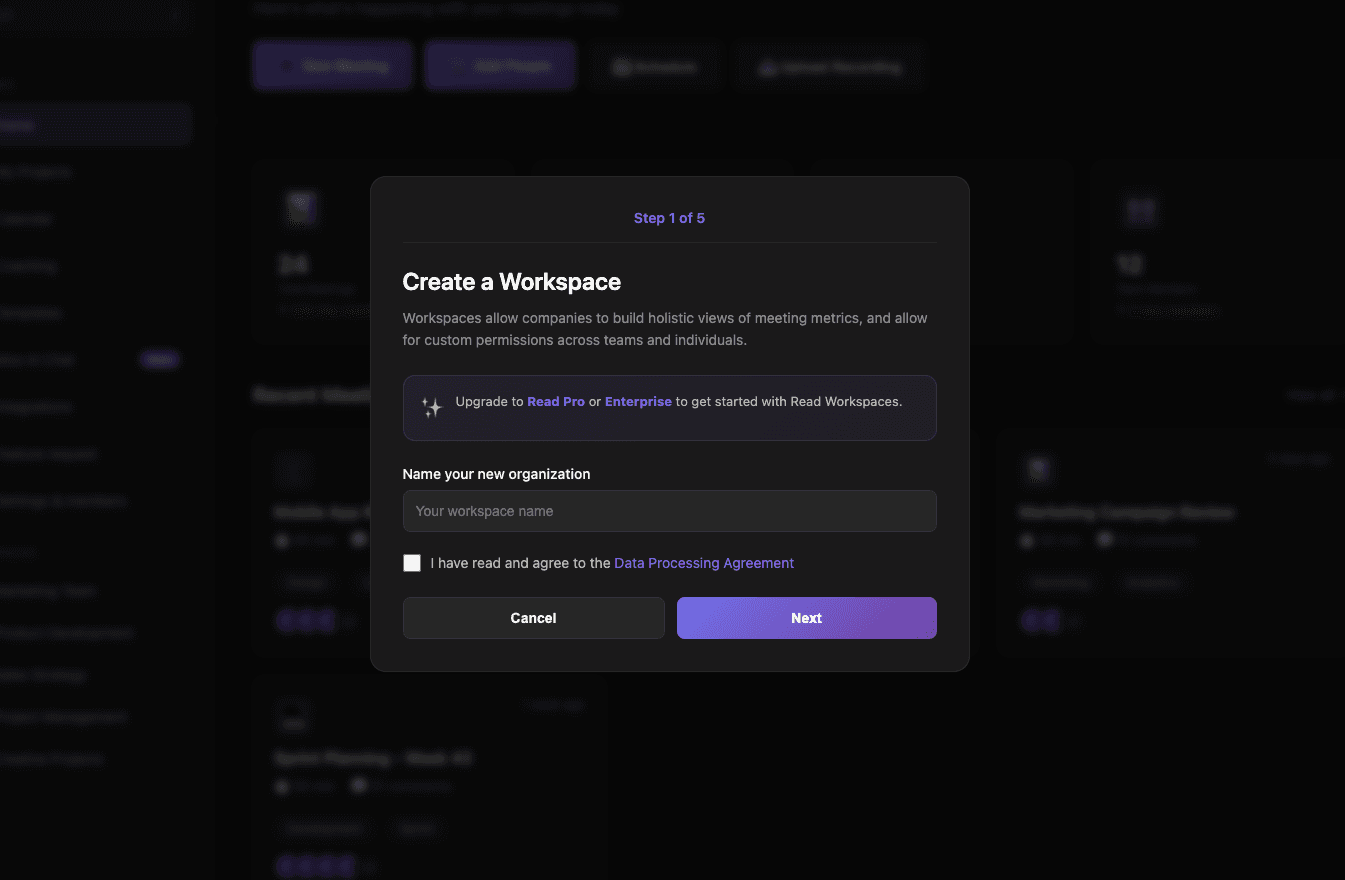
DESIGNED, BUILT AND WRITTEN BY

Jessica Blue
Data Analyst
Jule Grüne
Sales Team
Mar 16, 2025
v1.63.0
Feature
Design
In today's fast-paced sales environment, having actionable insights from your customer conversations at your fingertips can make all the difference. That's where Sales Agent comes in.
Intelligent Meeting Insights for Sales Teams
Sales Agent uses advanced AI to analyze your sales conversations and automatically generate valuable insights. The platform pulls out key information from your meetings and organizes it into actionable bullet points covering:
Competition mentions
Customer objections
Action items
And more
But having these insights in MeetNotes is just the beginning. What if you could automatically sync this critical information directly to your Salesforce account? Now you can.
Seamless Salesforce Integration
Setting up the Salesforce integration is straightforward and only requires workspace admin permissions:
Navigate to the Apps page in MeetNotes
Locate and add the Salesforce app
Authorize MeetNotes to access your Salesforce account
Map your MeetNotes insights to specific Salesforce fields
Choose your write behavior (overwrite, write if empty, or append)
Toggle the integration on
Once configured, MeetNotes automatically identifies the correct Salesforce opportunity based on contact email addresses from your meetings and syncs the relevant insights.
DESIGNED, BUILT AND WRITTEN BY
Jessica Blue
Data Analyst
Jule Grüne
Sales Team
March 16, 2025
v1.63.0
Feature
Design
In today's fast-paced sales environment, having actionable insights from your customer conversations at your fingertips can make all the difference. That's where Sales Agent comes in.
Intelligent Meeting Insights for Sales Teams
Sales Agent uses advanced AI to analyze your sales conversations and automatically generate valuable insights. The platform pulls out key information from your meetings and organizes it into actionable bullet points covering:
Competition mentions
Customer objections
Action items
And more
But having these insights in MeetNotes is just the beginning. What if you could automatically sync this critical information directly to your Salesforce account? Now you can.
Seamless Salesforce Integration
Setting up the Salesforce integration is straightforward and only requires workspace admin permissions:
Navigate to the Apps page in MeetNotes
Locate and add the Salesforce app
Authorize MeetNotes to access your Salesforce account
Map your MeetNotes insights to specific Salesforce fields
Choose your write behavior (overwrite, write if empty, or append)
Toggle the integration on
Once configured, MeetNotes automatically identifies the correct Salesforce opportunity based on contact email addresses from your meetings and syncs the relevant insights.
DESIGNED, BUILT AND WRITTEN BY
Jessica Blue
Data Analyst
Jule Grüne
Sales Team
February 25, 2025
v1.62.0
Enhancement
Feature
In today's fast-paced sales environment, having actionable insights from your customer conversations at your fingertips can make all the difference. That's where Sales Agent comes in.
Intelligent Meeting Insights for Sales Teams
Sales Agent uses advanced AI to analyze your sales conversations and automatically generate valuable insights. The platform pulls out key information from your meetings and organizes it into actionable bullet points covering:
Competition mentions
Customer objections
Action items
And more
But having these insights in MeetNotes is just the beginning. What if you could automatically sync this critical information directly to your Salesforce account? Now you can.
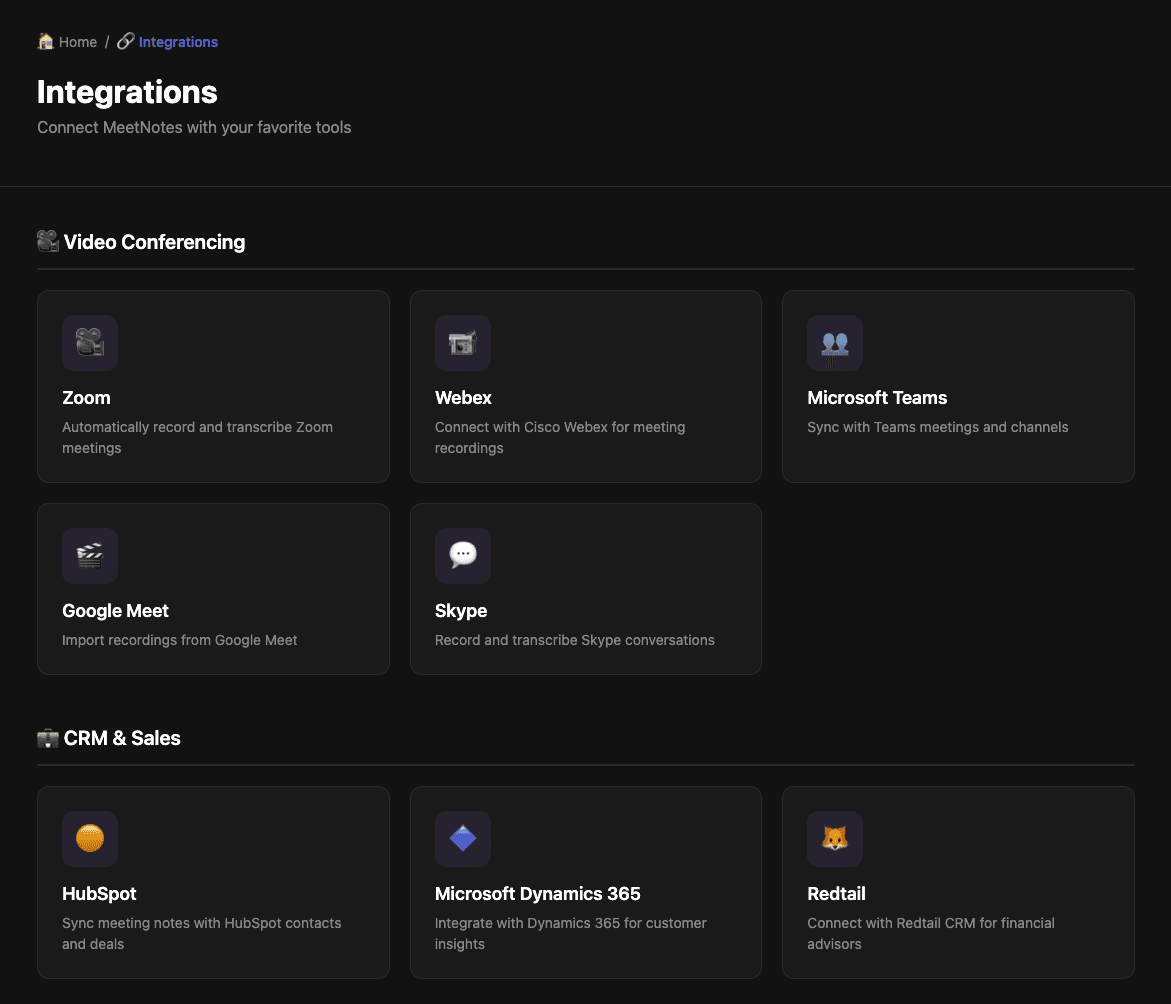
Seamless Salesforce Integration
Setting up the Salesforce integration is straightforward and only requires workspace admin permissions:
Navigate to the Apps page in MeetNotes
Locate and add the Salesforce app
Authorize MeetNotes to access your Salesforce account
Map your MeetNotes insights to specific Salesforce fields
Choose your write behavior (overwrite, write if empty, or append)
Toggle the integration on
Once configured, MeetNotes automatically identifies the correct Salesforce opportunity based on contact email addresses from your meetings and syncs the relevant insights.
DESIGNED, BUILT AND WRITTEN BY
Adam Cloud
Co-Founder & COO
Feb 25, 2025
v1.62.0
Enhancement
Feature
In today's fast-paced sales environment, having actionable insights from your customer conversations at your fingertips can make all the difference. That's where Sales Agent comes in.
Intelligent Meeting Insights for Sales Teams
Sales Agent uses advanced AI to analyze your sales conversations and automatically generate valuable insights. The platform pulls out key information from your meetings and organizes it into actionable bullet points covering:
Competition mentions
Customer objections
Action items
And more
But having these insights in MeetNotes is just the beginning. What if you could automatically sync this critical information directly to your Salesforce account? Now you can.
Seamless Salesforce Integration
Setting up the Salesforce integration is straightforward and only requires workspace admin permissions:
Navigate to the Apps page in MeetNotes
Locate and add the Salesforce app
Authorize MeetNotes to access your Salesforce account
Map your MeetNotes insights to specific Salesforce fields
Choose your write behavior (overwrite, write if empty, or append)
Toggle the integration on
Once configured, MeetNotes automatically identifies the correct Salesforce opportunity based on contact email addresses from your meetings and syncs the relevant insights.
DESIGNED, BUILT AND WRITTEN BY
Adam Cloud
Co-Founder & COO
February 25, 2025
v1.62.0
Enhancement
Feature
In today's fast-paced sales environment, having actionable insights from your customer conversations at your fingertips can make all the difference. That's where Sales Agent comes in.
Intelligent Meeting Insights for Sales Teams
Sales Agent uses advanced AI to analyze your sales conversations and automatically generate valuable insights. The platform pulls out key information from your meetings and organizes it into actionable bullet points covering:
Competition mentions
Customer objections
Action items
And more
But having these insights in MeetNotes is just the beginning. What if you could automatically sync this critical information directly to your Salesforce account? Now you can.
Seamless Salesforce Integration
Setting up the Salesforce integration is straightforward and only requires workspace admin permissions:
Navigate to the Apps page in MeetNotes
Locate and add the Salesforce app
Authorize MeetNotes to access your Salesforce account
Map your MeetNotes insights to specific Salesforce fields
Choose your write behavior (overwrite, write if empty, or append)
Toggle the integration on
Once configured, MeetNotes automatically identifies the correct Salesforce opportunity based on contact email addresses from your meetings and syncs the relevant insights.
DESIGNED, BUILT AND WRITTEN BY
Adam Cloud
Co-Founder & COO
December 19, 2024
v1.61.0
Enhancement
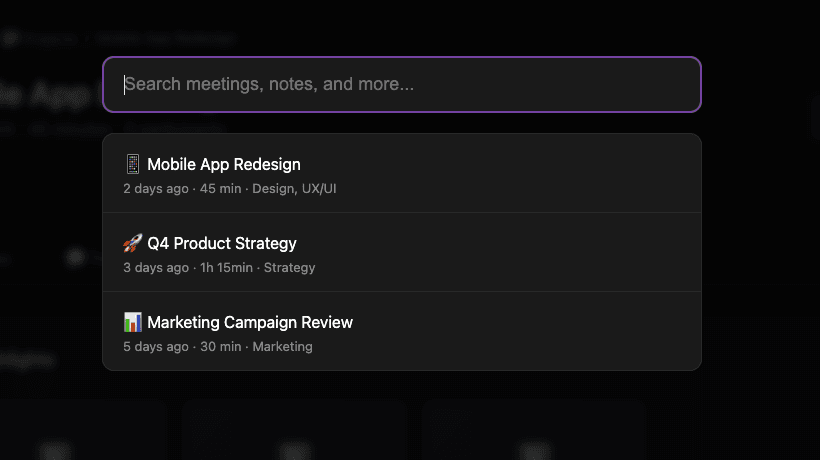
In today's fast-paced sales environment, having actionable insights from your customer conversations at your fingertips can make all the difference. That's where Sales Agent comes in.
Intelligent Meeting Insights for Sales Teams
Sales Agent uses advanced AI to analyze your sales conversations and automatically generate valuable insights. The platform pulls out key information from your meetings and organizes it into actionable bullet points covering:
Competition mentions
Customer objections
Action items
And more
But having these insights in MeetNotes is just the beginning. What if you could automatically sync this critical information directly to your Salesforce account? Now you can.
Seamless Salesforce Integration
Setting up the Salesforce integration is straightforward and only requires workspace admin permissions:
Navigate to the Apps page in MeetNotes
Locate and add the Salesforce app
Authorize MeetNotes to access your Salesforce account
Map your MeetNotes insights to specific Salesforce fields
Choose your write behavior (overwrite, write if empty, or append)
Toggle the integration on
Once configured, MeetNotes automatically identifies the correct Salesforce opportunity based on contact email addresses from your meetings and syncs the relevant insights.
DESIGNED, BUILT AND WRITTEN BY
Alice Johnson
Founder & CEO
Dec 19, 2024
v1.61.0
Enhancement
In today's fast-paced sales environment, having actionable insights from your customer conversations at your fingertips can make all the difference. That's where Sales Agent comes in.
Intelligent Meeting Insights for Sales Teams
Sales Agent uses advanced AI to analyze your sales conversations and automatically generate valuable insights. The platform pulls out key information from your meetings and organizes it into actionable bullet points covering:
Competition mentions
Customer objections
Action items
And more
But having these insights in MeetNotes is just the beginning. What if you could automatically sync this critical information directly to your Salesforce account? Now you can.
Seamless Salesforce Integration
Setting up the Salesforce integration is straightforward and only requires workspace admin permissions:
Navigate to the Apps page in MeetNotes
Locate and add the Salesforce app
Authorize MeetNotes to access your Salesforce account
Map your MeetNotes insights to specific Salesforce fields
Choose your write behavior (overwrite, write if empty, or append)
Toggle the integration on
Once configured, MeetNotes automatically identifies the correct Salesforce opportunity based on contact email addresses from your meetings and syncs the relevant insights.
DESIGNED, BUILT AND WRITTEN BY
Alice Johnson
Founder & CEO
December 19, 2024
v1.61.0
Enhancement
In today's fast-paced sales environment, having actionable insights from your customer conversations at your fingertips can make all the difference. That's where Sales Agent comes in.
Intelligent Meeting Insights for Sales Teams
Sales Agent uses advanced AI to analyze your sales conversations and automatically generate valuable insights. The platform pulls out key information from your meetings and organizes it into actionable bullet points covering:
Competition mentions
Customer objections
Action items
And more
But having these insights in MeetNotes is just the beginning. What if you could automatically sync this critical information directly to your Salesforce account? Now you can.
Seamless Salesforce Integration
Setting up the Salesforce integration is straightforward and only requires workspace admin permissions:
Navigate to the Apps page in MeetNotes
Locate and add the Salesforce app
Authorize MeetNotes to access your Salesforce account
Map your MeetNotes insights to specific Salesforce fields
Choose your write behavior (overwrite, write if empty, or append)
Toggle the integration on
Once configured, MeetNotes automatically identifies the correct Salesforce opportunity based on contact email addresses from your meetings and syncs the relevant insights.
DESIGNED, BUILT AND WRITTEN BY
Alice Johnson
Founder & CEO
November 14, 2024
v1.60.0
Feature
In today's fast-paced sales environment, having actionable insights from your customer conversations at your fingertips can make all the difference. That's where Sales Agent comes in.
Intelligent Meeting Insights for Sales Teams
Sales Agent uses advanced AI to analyze your sales conversations and automatically generate valuable insights. The platform pulls out key information from your meetings and organizes it into actionable bullet points covering:
Competition mentions
Customer objections
Action items
And more
But having these insights in MeetNotes is just the beginning. What if you could automatically sync this critical information directly to your Salesforce account? Now you can.
Seamless Salesforce Integration
Setting up the Salesforce integration is straightforward and only requires workspace admin permissions:
Navigate to the Apps page in MeetNotes
Locate and add the Salesforce app
Authorize MeetNotes to access your Salesforce account
Map your MeetNotes insights to specific Salesforce fields
Choose your write behavior (overwrite, write if empty, or append)
Toggle the integration on
Once configured, MeetNotes automatically identifies the correct Salesforce opportunity based on contact email addresses from your meetings and syncs the relevant insights.
DESIGNED, BUILT AND WRITTEN BY
Chris Green
UX Designer
Nov 14, 2024
v1.60.0
Feature
In today's fast-paced sales environment, having actionable insights from your customer conversations at your fingertips can make all the difference. That's where Sales Agent comes in.
Intelligent Meeting Insights for Sales Teams
Sales Agent uses advanced AI to analyze your sales conversations and automatically generate valuable insights. The platform pulls out key information from your meetings and organizes it into actionable bullet points covering:
Competition mentions
Customer objections
Action items
And more
But having these insights in MeetNotes is just the beginning. What if you could automatically sync this critical information directly to your Salesforce account? Now you can.
Seamless Salesforce Integration
Setting up the Salesforce integration is straightforward and only requires workspace admin permissions:
Navigate to the Apps page in MeetNotes
Locate and add the Salesforce app
Authorize MeetNotes to access your Salesforce account
Map your MeetNotes insights to specific Salesforce fields
Choose your write behavior (overwrite, write if empty, or append)
Toggle the integration on
Once configured, MeetNotes automatically identifies the correct Salesforce opportunity based on contact email addresses from your meetings and syncs the relevant insights.
DESIGNED, BUILT AND WRITTEN BY
Chris Green
UX Designer
November 14, 2024
v1.60.0
Feature
In today's fast-paced sales environment, having actionable insights from your customer conversations at your fingertips can make all the difference. That's where Sales Agent comes in.
Intelligent Meeting Insights for Sales Teams
Sales Agent uses advanced AI to analyze your sales conversations and automatically generate valuable insights. The platform pulls out key information from your meetings and organizes it into actionable bullet points covering:
Competition mentions
Customer objections
Action items
And more
But having these insights in MeetNotes is just the beginning. What if you could automatically sync this critical information directly to your Salesforce account? Now you can.
Seamless Salesforce Integration
Setting up the Salesforce integration is straightforward and only requires workspace admin permissions:
Navigate to the Apps page in MeetNotes
Locate and add the Salesforce app
Authorize MeetNotes to access your Salesforce account
Map your MeetNotes insights to specific Salesforce fields
Choose your write behavior (overwrite, write if empty, or append)
Toggle the integration on
Once configured, MeetNotes automatically identifies the correct Salesforce opportunity based on contact email addresses from your meetings and syncs the relevant insights.
DESIGNED, BUILT AND WRITTEN BY
Chris Green
UX Designer
October 2, 2024
v1.59.0
Feature
Design
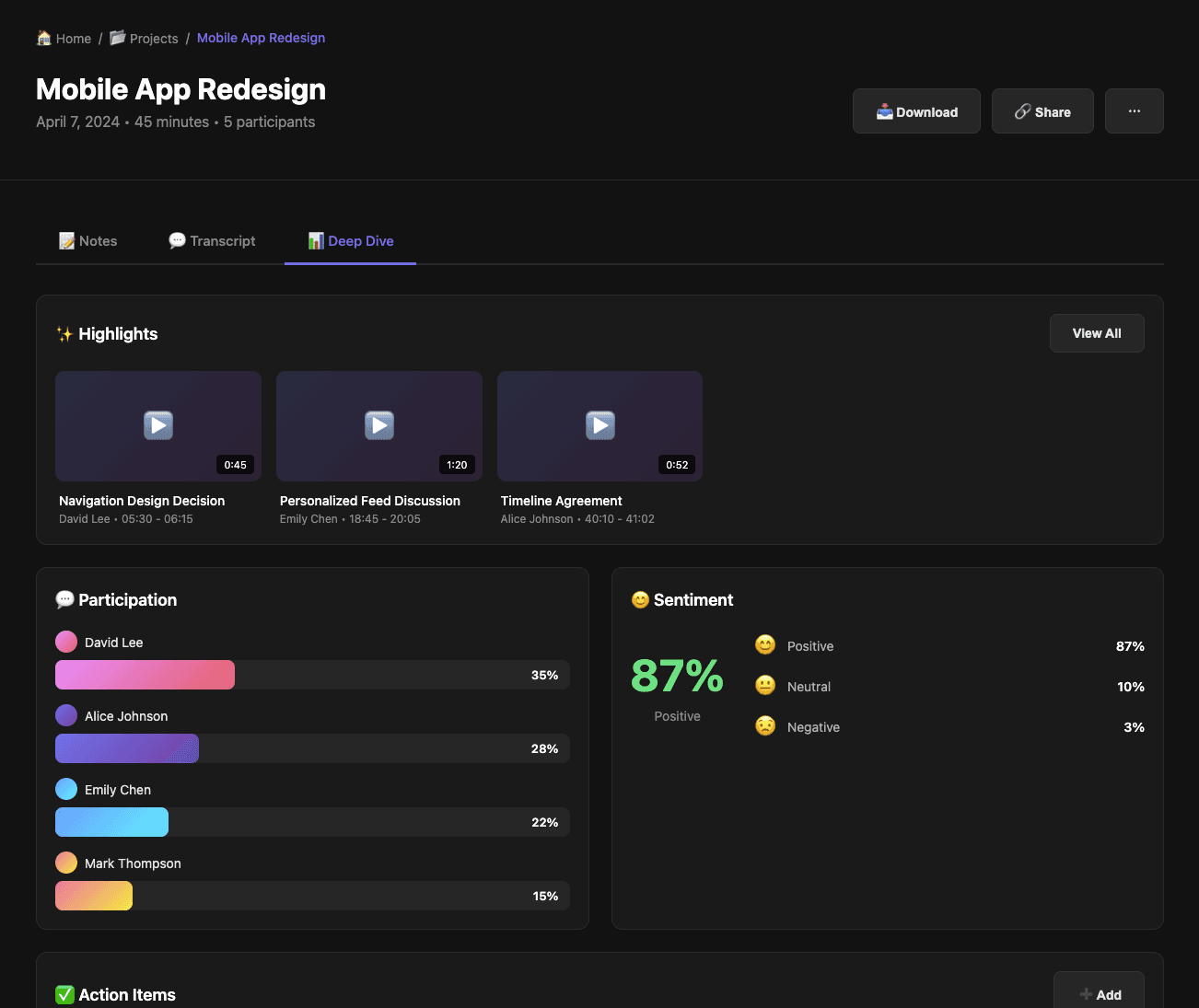
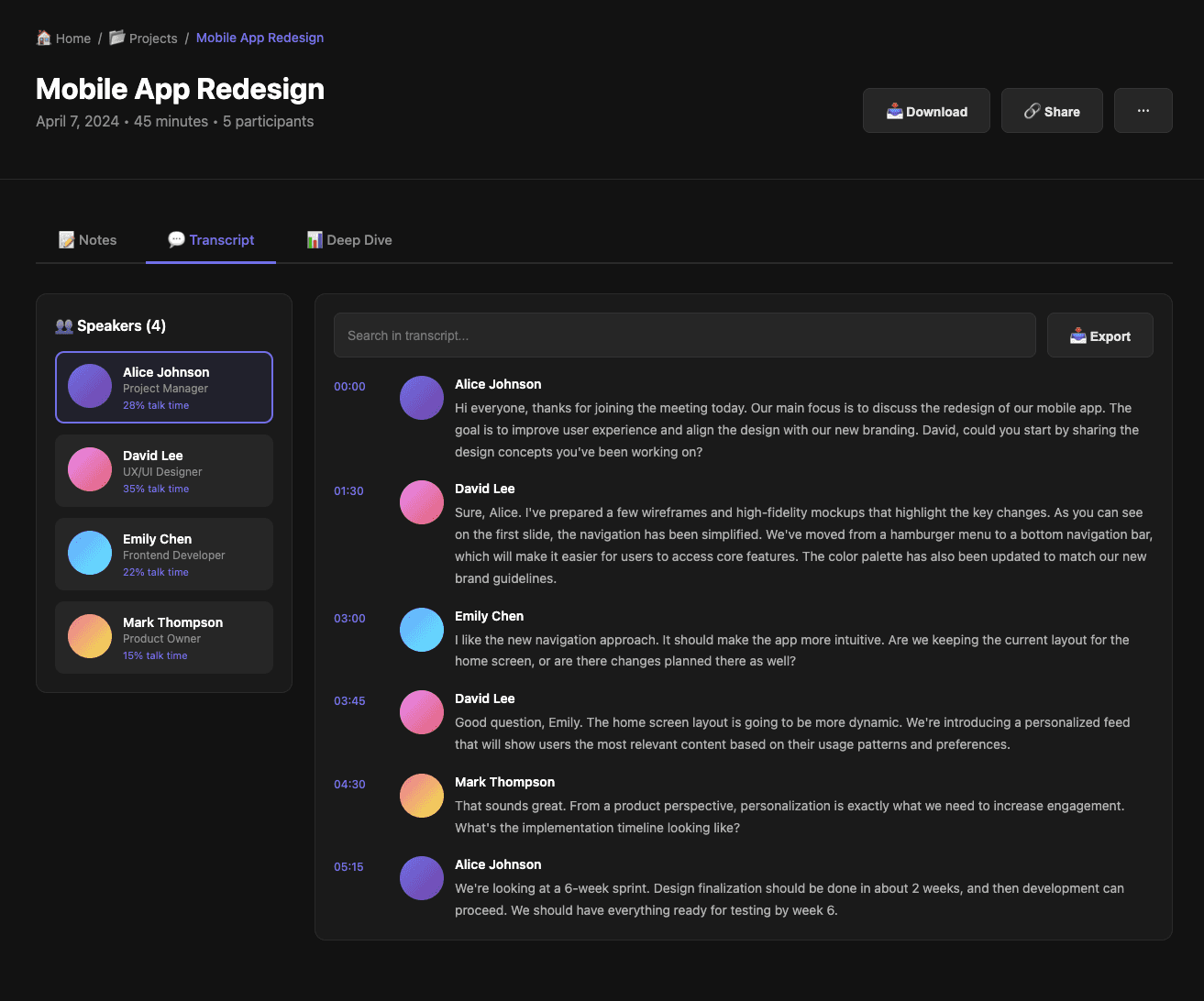
You can use search filters within your regular search and find meetings faster. The new additional features are:
Meeting Host - Filter meetings by the host's name.
Date Range - Filter meetings within a specific date range.
Meeting Title - Filter meetings containing specific keywords in the title.
DESIGNED, BUILT AND WRITTEN BY
Mark Smith
Co-Founder & CTO
Oct 2, 2024
v1.59.0
Feature
Design
You can use search filters within your regular search and find meetings faster. The new additional features are:
Meeting Host - Filter meetings by the host's name.
Date Range - Filter meetings within a specific date range.
Meeting Title - Filter meetings containing specific keywords in the title.
DESIGNED, BUILT AND WRITTEN BY
Mark Smith
Co-Founder & CTO
October 2, 2024
v1.59.0
Feature
Design
You can use search filters within your regular search and find meetings faster. The new additional features are:
Meeting Host - Filter meetings by the host's name.
Date Range - Filter meetings within a specific date range.
Meeting Title - Filter meetings containing specific keywords in the title.
DESIGNED, BUILT AND WRITTEN BY
Mark Smith
Co-Founder & CTO
September 1, 2024
v1.58.0
Design
Enhancement
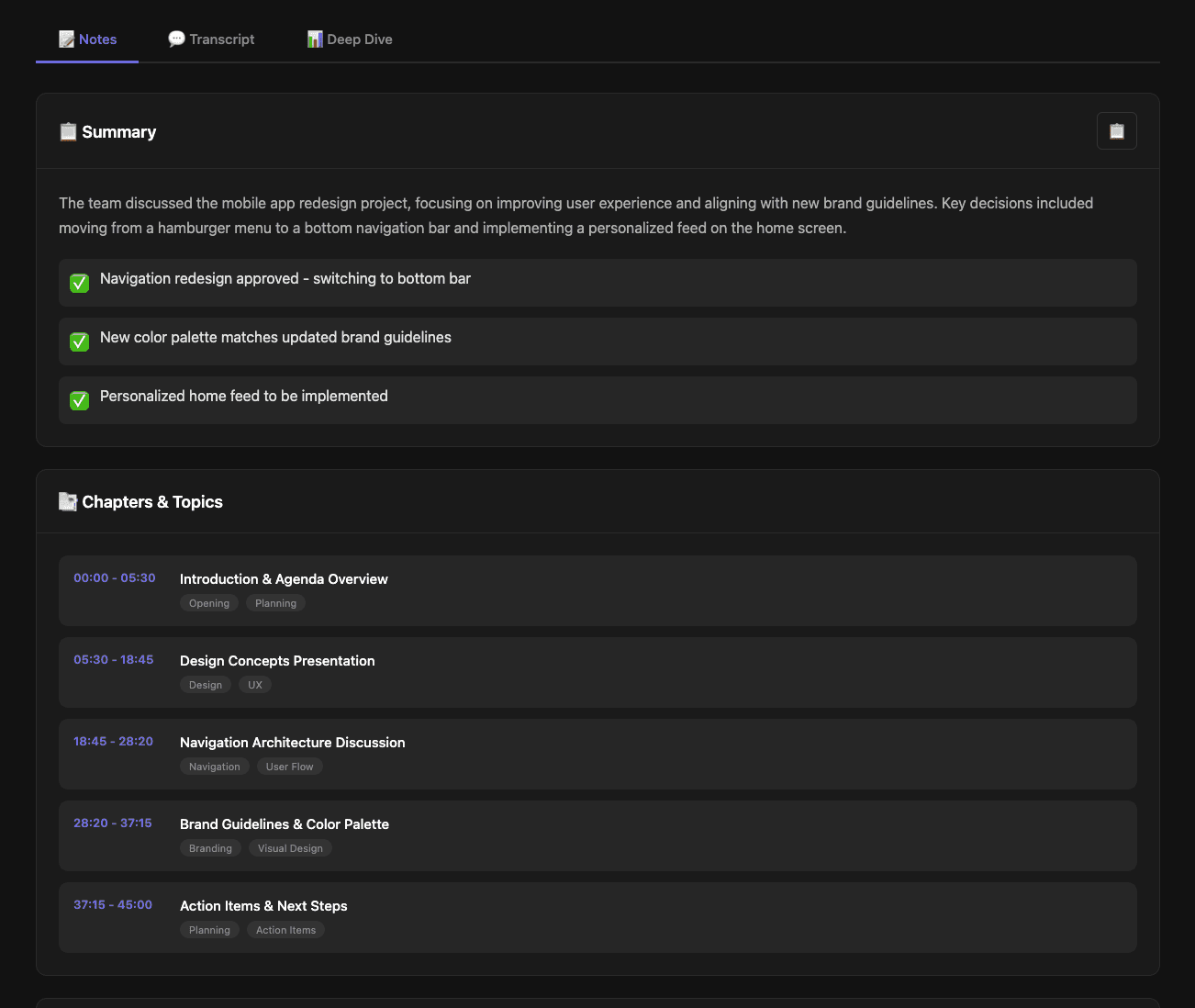
Our weekly digest sends you an email with an overview of your meetings from the week before.
Track your productivity with a recap including:
Total number of meetings
Number of meeting hours
Minutes saved on notetaking
Number of action items
Takeaways from your last 5 meetings
DESIGNED, BUILT AND WRITTEN BY
Adam Cloud
Co-Founder & COO
Sep 1, 2024
v1.58.0
Design
Enhancement
Our weekly digest sends you an email with an overview of your meetings from the week before.
Track your productivity with a recap including:
Total number of meetings
Number of meeting hours
Minutes saved on notetaking
Number of action items
Takeaways from your last 5 meetings
DESIGNED, BUILT AND WRITTEN BY
Adam Cloud
Co-Founder & COO
September 1, 2024
v1.58.0
Design
Enhancement
Our weekly digest sends you an email with an overview of your meetings from the week before.
Track your productivity with a recap including:
Total number of meetings
Number of meeting hours
Minutes saved on notetaking
Number of action items
Takeaways from your last 5 meetings
DESIGNED, BUILT AND WRITTEN BY
Adam Cloud
Co-Founder & COO
Join the Revolution
Transform Your Meetings
Experience hassle-free meetings with our AI-powered note-taking solution.
No credit card required.
14-days free trial.